Fieldwork: a shared shopping app
A familiar ecommerce layout: announcement bar, shop header, editorial hero, product cards, search/category filters, product details, bag, order summary and validated demo checkout. All product artwork is bundled locally. The catalogue is fictional; no payment is collected and no data is sent.
Open HTML storefront · Open Wasm storefront · Compare renderers
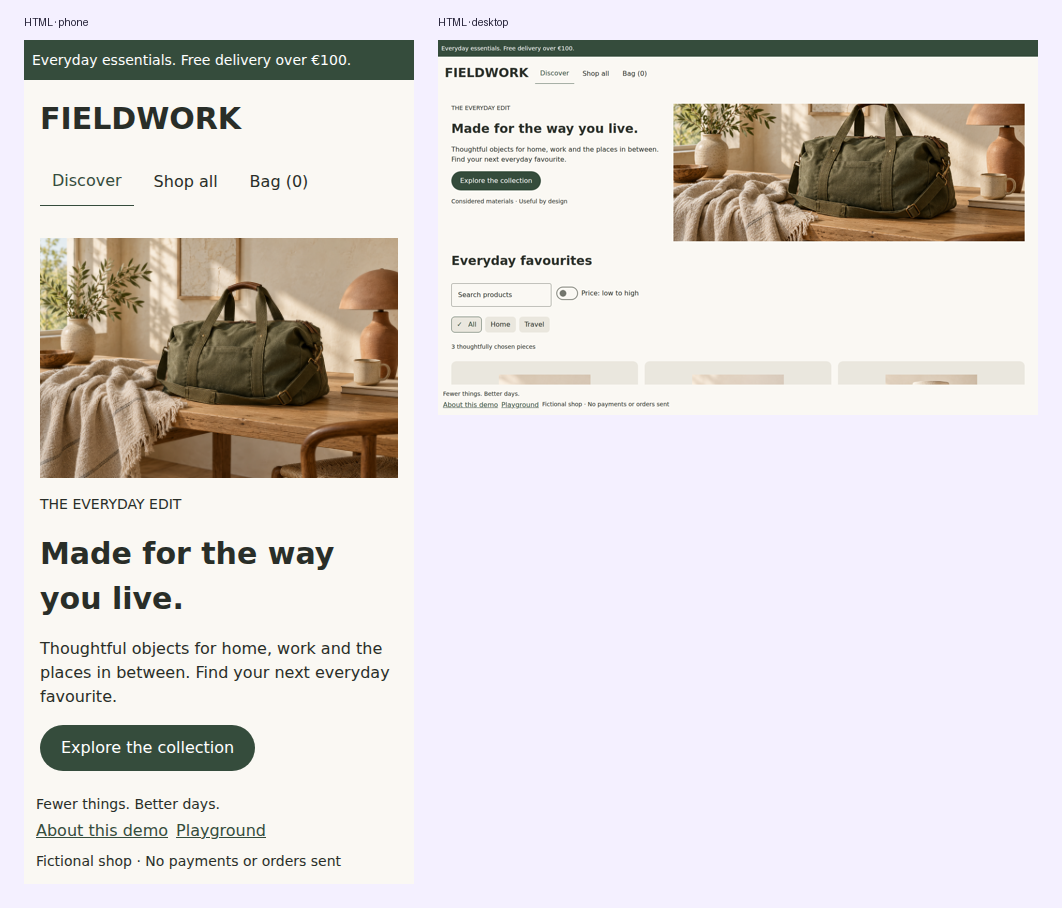
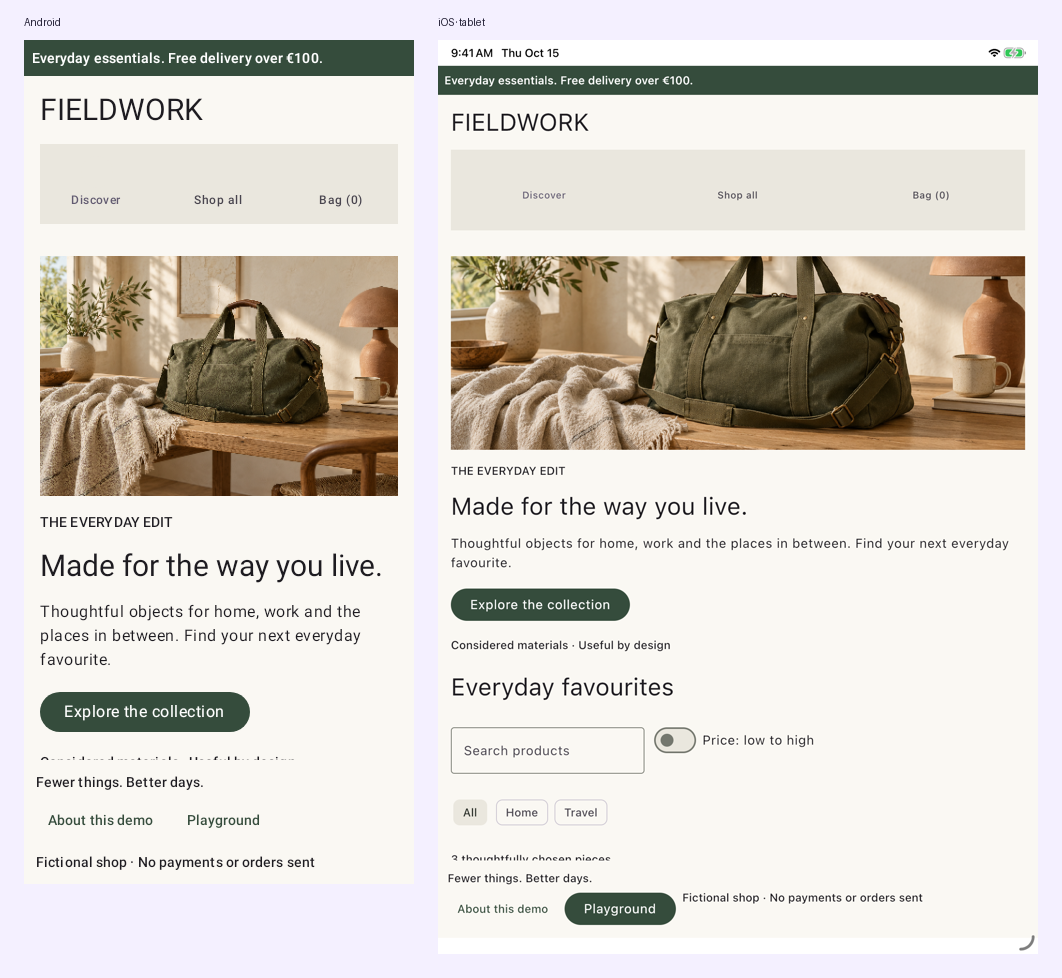
Feature teams own their state
The modular implementation separates catalog and checkout into API and implementation modules. API modules expose immutable state/actions, routes and feature contracts. Implementations supply MVI reducers, entry-owned AndroidX ViewModels, Metro contributions and KSP-generated destinations. The application owns the graph, shared cart session, resource images, theme, shell and URL codec.
@Composable
@DomposableScreen(CatalogRoute.Collection::class, viewModel = true)
fun CollectionScreen(model: CatalogViewModel = metroViewModel()) {
    val navigator = LocalShopNavigator.current
    val artwork = LocalShopArtwork.current
    DomposableMviScreen(model) { state, onAction ->
        StorefrontContent(
            state, onAction, artwork, showHero = false,
            onBrowse = { navigator.navigate(CatalogRoute.Collection) },
            onProduct = { navigator.navigate(CatalogRoute.Product(it)) },
        )
    }
}
These are application architecture choices. Screens receive ViewModels; their smaller content functions remain ordinary composable functions returning Unit, and Domposable does not require MVI, Metro or a ViewModel. Follow the complete module walkthrough for graph assembly, assisted product injection and checkout effects.
Layout follows available space
The storefront measures feature content. Narrow widths stack hero artwork and copy; wide widths arrange them alongside each other. Product cards change from one column to two and three. Search and filter controls wrap rather than overflow. Native renders Material controls while HTML uses browser elements; adaptive structure is shared, platform styling remains visible.
Real product URLs
| Page | HTML URL below the project base |
|---|---|
| Discover | /domposable/shop/ |
| Collection | /domposable/shop/collection/ |
| Product | /domposable/shop/products/canvas-weekender/ |
| Bag | /domposable/shop/cart/ |
| Checkout | /domposable/shop/checkout/ |
ShoppingApp(
    browserUrls = DomposableBrowserUrls.Path(
        basePath = "/domposable/",
        trailingSlash = true,
    ),
)
ShopCodec owns the route-to-URL mapping. Navigation items carry actual href values, preserving copy-link and open-in-new-tab behavior. Normal clicks update application navigation and browser history. Reloading product pages returns the same product. Static entry pages cover the known catalogue; a GitHub Pages fallback resumes other dynamic paths. Unknown products show an unavailable state. See routing recipes for hosting tradeoffs.
The cart is an in-memory demo session and resets on a full reload. Browser back/forward within the app preserves the cart and checkout draft. Personal details are not written to history, storage or the network. Wasm starts from a hash route and uses in-memory navigation; browser-history parity is pending.
Bundled artwork
The demo uses Compose resources for the same product files on every target:
val source = Res.getUri("files/shop-bag.png")
DomposableImage(
    DomposableImageProps(source, "Canvas weekender", onError = { /* show fallback */ }, scale = DomposableImageScale.Fit),
    DomposableModifier.fillMaxWidth().height(220.dp),
)
Enable implementation(compose.components.resources) in the app and put the file in src/commonMain/composeResources/files/. DOM emits an image element; native/Wasm use Coil. Image callbacks let the feature handle successful loading and errors. Artwork and generation prompts are included in the source repository.
For clean HTML paths, the host also calls configureWebResources { resourcePathMapping { path -> URL(path, document.baseURI).href } } before composition. This maps bundled resources to the deployment base instead of the current product URL. JetBrains documents the resource-path configuration. The repository's small generated Xcode project includes a build phase copying these files to the app's Compose resource bundle; a standard Compose Xcode integration can use its resource synchronization tasks instead.